Outfit Swap
Swap outfits instantly
Describe what you want: “formal blazer”, “summer dress”, “streetwear”. Then AI restyles the outfit in your photo. Any style, any look.
Upload a photo and describe the change. Clothiq AI swaps, restyles, and redesigns the clothing to match your prompt, right in your browser. Free to sign up, with bonus credits — no app needed.
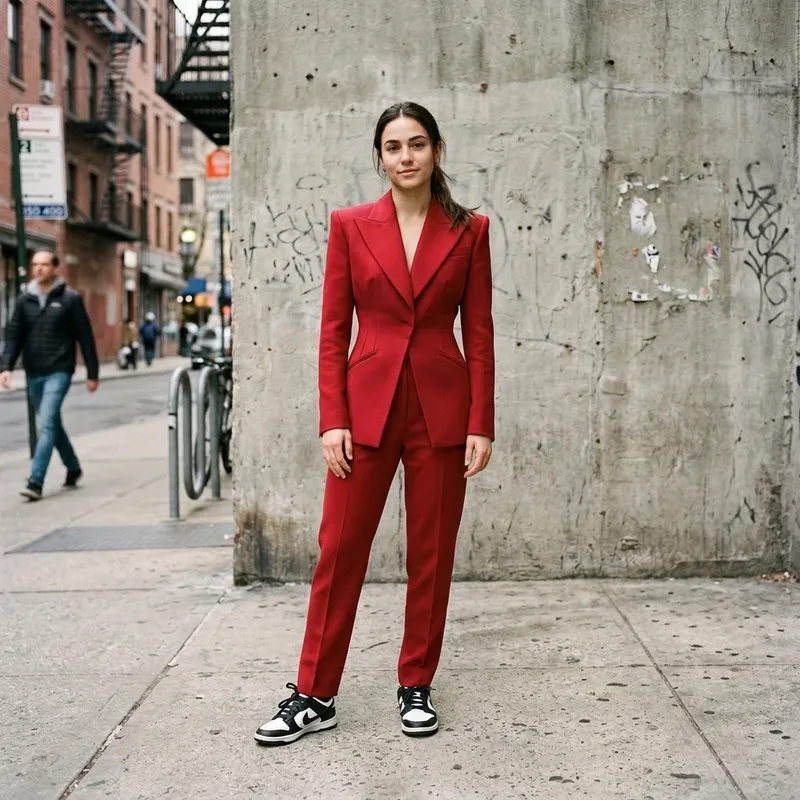
An AI outfit changer is a tool that changes the clothing in a photo from a text prompt, without a new photoshoot. You upload a picture of yourself, type what you want to wear — “white linen shirt”, “black formal blazer”, “floral sundress” — and the AI redraws the garment on your actual body, matching your pose, lighting and skin tone. The person in the photo stays you; only the outfit changes.
People use it as a virtual try-on before buying clothes online, to plan outfits for an event, to preview seasonal looks, or to create fashion content for social media without hiring a studio. Each generated look costs 5 credits, results arrive in 10–30 seconds, and credits are sold one-time — no subscription required. It runs entirely in the browser on desktop or mobile; there is no app to install.
Describe what you want: “formal blazer”, “summer dress”, “streetwear”. Then AI restyles the outfit in your photo. Any style, any look.
See how you look in different styles: casual, formal, boho, streetwear. Prompt-guided, realistic results every time.
Preview how a garment looks on your own photo before ordering. See the fit and colour on your body, not a generic model.
Swap between seasons and settings (light summer dresses, cosy winter layers, golden-hour outfits) without a new shoot.
Create compelling before/after fashion content for influencers and brands without a studio. Generate a new look for 5 credits.
Try casual, formal, party and boho in minutes. Mix and match directions to find your perfect look without a fitting room.
Choose a clear full-body or upper-body photo. Good lighting and a plain background give the best results.
Describe the outfit change: “red dress”, “linen blazer”, “casual t-shirt”. Be specific about style, colour and fabric.
Click generate (5 credits) for an AI-edited photo. Results are ready in 10–30 seconds.
Save your edited image. Use it for fashion content, outfit planning, or creative projects.
Not sure what to type? These prompts reliably produce clean, realistic restyles. Copy one, swap the colour or fabric, and generate — the more specific your prompt, the better the result.
It uses generative AI to swap or restyle the clothing in a photo based on your text prompt. The AI adapts the new outfit to the person's actual body shape and pose.
Be specific: “white linen shirt”, “black formal blazer”, “floral sundress” work great. Mention colour, fabric and style for the most accurate results.
Generating an edited image costs 5 credits, and new accounts include 1 bonus credit. Credits are sold one-time — no subscription, no auto-renewal, and they never expire. Payments on the website are temporarily closed; in the meantime, download our Android or iOS app and buy credits there.
Yes. The AI uses the person in your uploaded photo as the reference, not a generic model, so results adapt to different body shapes, skin tones and poses.
Yes. Photos are processed securely, never sold or shared, and only used to generate your result. Uploads and results are automatically deleted after 7 days, and you can delete them sooner at any time.
Yes. Clothiq is for fashion edits only. Prompts asking for nude, sexual, or explicit content are blocked before they are processed, and any content involving minors or non-consensual intimate imagery is strictly prohibited. All generations must comply with Clothiq AI's Terms of Service.